
Download ZenMate Desktop VPN – Free Secure VPN for Windows, Mac, Android & iOS
Overview
ZenMate Desktop VPN positions itself as a free, all‑in‑one solution for anyone who wants to protect their online identity without the hassle of a subscription. The moment you start your computer, the app launches automatically, encrypting every packet that leaves your device. By routing traffic through more than 28 servers across the United States, United Kingdom, Singapore, and other key regions, ZenMate creates a secure tunnel that hides your IP address, blocks malicious sites, and even compresses data to help you save on bandwidth costs.
The service is built around a privacy‑first philosophy: no traffic logs are stored, and the connection protocols are constantly updated to stay ahead of emerging threats. Whether you’re streaming video, shopping online, or simply browsing the news, ZenMate offers a single‑click shield against hackers, ISP throttling, and geo‑restrictions. Its lightweight design ensures that the VPN does not drain system resources, making it an ideal companion for laptops, desktops, and mobile devices alike.
For users who have tried complex VPN clients in the past, ZenMate’s clean interface and instant‑connect button deliver a frictionless experience while still providing the robust encryption standards expected from premium VPN services.
Features, Benefits, and Security Highlights
- Secure AES‑256 encryption for all traffic
- One‑click auto‑connect on system start‑up
- Built‑in malware and phishing site blocker
- Data compression to reduce bandwidth usage
- Custom connection protocols with built‑in accelerators for faster speeds
- Access to servers in 28+ countries for geo‑unblocking
- No‑log policy ensuring complete privacy
- Cross‑platform support: Windows, macOS, Android, iOS, and browser extensions
Beyond the headline features, ZenMate delivers tangible benefits that set it apart from other free VPN tools. The automatic launch feature guarantees that you never forget to protect yourself, a common pitfall for casual users. The malware blocker works in tandem with the encryption layer, scanning every URL before a connection is established and dropping any request that matches known threat signatures.
Data compression is a quiet hero—by shrinking the size of packets, the VPN reduces the amount of data you consume, which can translate into lower mobile bills or less strain on capped internet plans. The custom protocols are engineered to avoid typical VPN bottlenecks, delivering smoother streaming and gaming sessions even on congested networks. Moreover, the no‑log stance means that even if a third party requests information, ZenMate has nothing to hand over, reinforcing trust for privacy‑concerned users.
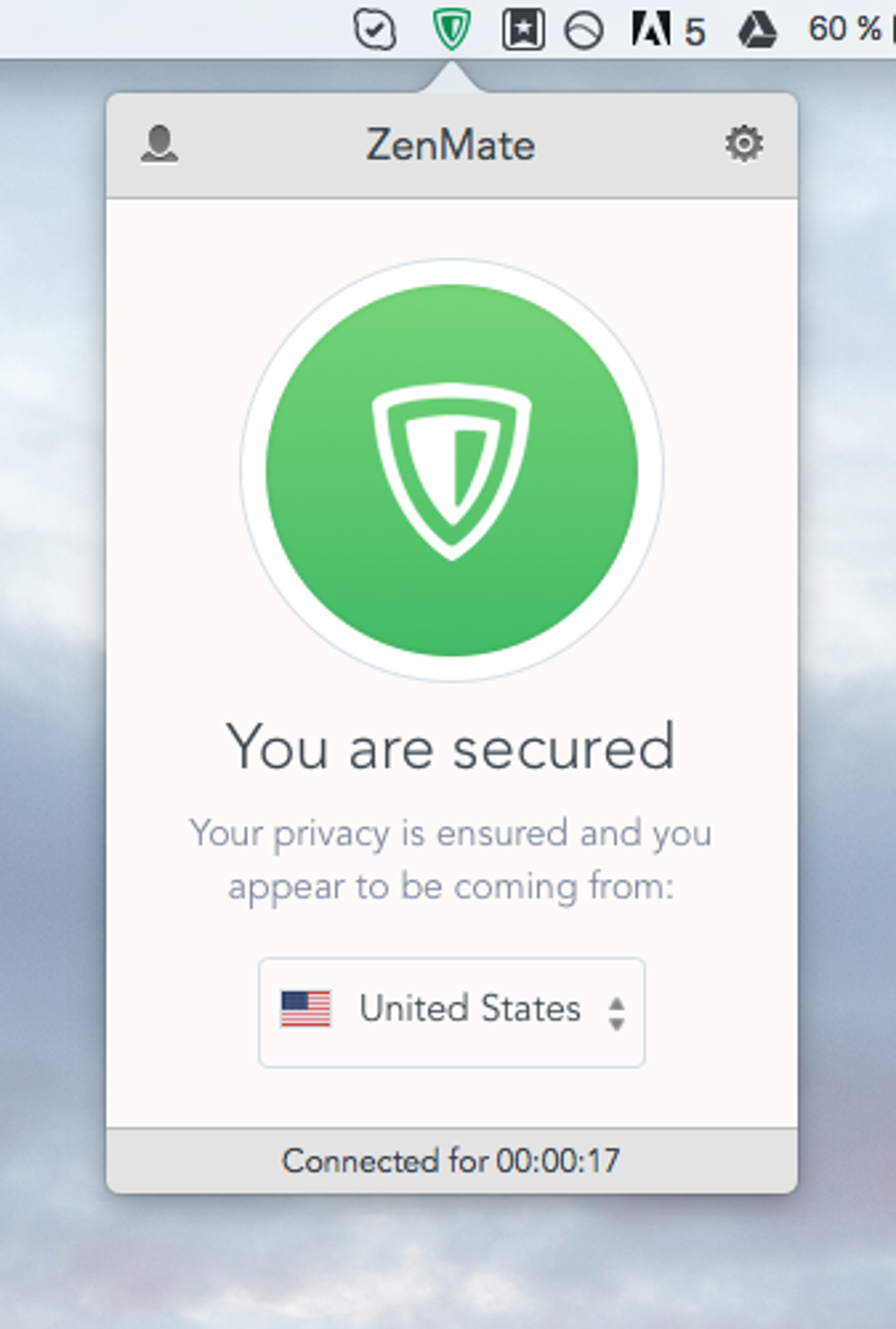
All these capabilities are wrapped in an intuitive UI that displays server locations, connection status, and a quick toggle for the built‑in ad blocker, making advanced security accessible to non‑technical audiences.
Installation, Compatibility, and Frequently Asked Questions
Getting ZenMate Desktop VPN up and running is deliberately straightforward. Start by visiting the official ZenMate website or your device’s app store. For Windows and macOS, download the installer (.exe or .dmg), double‑click to launch the wizard, and follow the on‑screen prompts—accept the license agreement, choose the default installation path, and let the installer finish.
Android users can locate the app on Google Play, while iOS users download it from the App Store. Once installed, the application will prompt you to create a free account; this step is optional but recommended for syncing settings across devices. After logging in, simply click the “Connect” button to establish a secure tunnel.
The app’s settings panel allows you to select a preferred server region, enable the auto‑connect feature, and toggle the malware protection and data compression modules.
ZenMate is engineered for broad compatibility. It supports the latest versions of Windows 10, Windows 11, macOS Catalina and newer, Android 7.0+, and iOS 13+. The VPN also offers dedicated browser extensions for Chrome, Firefox, and Edge, ensuring that even users who prefer not to install a full desktop client can still benefit from encryption directly within their browsers. System requirements are modest: a minimum of 2 GB RAM, 100 MB of free disk space, and an internet connection with at least 5 Mbps download speed for optimal performance. Below are answers to some common questions that prospective users often ask:
-
Is ZenMate truly free, or are there hidden costs?
ZenMate offers a completely free tier with no hidden fees. Premium plans are optional and provide additional server locations and higher speeds, but the core security, data compression, and malware blocking features remain free forever.
-
Can I use ZenMate to stream geo‑restricted content?
Yes. With servers in over 28 countries, ZenMate can bypass most regional blocks on platforms like Netflix, Hulu, and BBC iPlayer. Performance may vary based on server load, but the built‑in accelerators help maintain smooth playback.
-
Does the VPN keep logs of my browsing activity?
No. ZenMate follows a strict no‑log policy, meaning it does not store connection timestamps, visited sites, or any personal data. This commitment aligns with GDPR standards for user privacy.
-
Will ZenMate slow down my internet speed?
Because ZenMate uses optimized protocols and data compression, most users notice only a marginal speed reduction (typically 5‑10%). In some cases, the compression can actually speed up browsing on slower connections.
-
How do I enable the malware and phishing protection?
Open the ZenMate app, navigate to Settings → Security, and toggle the “Malware & Phishing Blocker” switch. The feature works automatically once enabled, scanning URLs before they load.
Conclusion & Call to Action
ZenMate Desktop VPN delivers a compelling blend of security, convenience, and performance without demanding a subscription fee. Its automatic start‑up, robust AES‑256 encryption, and built‑in threat blocker make it an ideal choice for users who want “set‑and‑forget” protection across multiple devices. The data compression engine adds a unique cost‑saving angle that few free VPNs provide, while the broad platform support ensures that you stay protected whether you’re on a laptop, smartphone, or tablet. Though the free tier limits you to a selection of server locations, the available regions cover most major streaming services and popular browsing destinations, satisfying the needs of casual and power users alike.
If you value privacy, need a reliable shield against malicious sites, and prefer a hassle‑free experience, ZenMate is ready to guard your digital life today. Click the button below to download the free version, set up your account, and enjoy instant, secure browsing on any device.
Pros:
- Free with no hidden charges
- One‑click auto‑connect on startup
- Built‑in malware & phishing blocker
- Data compression reduces bandwidth usage
- Cross‑platform support (Windows, macOS, Android, iOS)
Cons:
- Limited server locations on the free tier
- Speed may vary during peak usage
- Advanced settings are hidden for novice users







